When comparing LED display quotations, refresh rate is often one of the first specifications buyers notice.
One supplier may offer 3840 Гц, while another promotes 7680 Гц as a higher-performance option. At first glance, the decision seems simple: if 7680Hz is twice the number, it must provide twice the performance.
But LED display refresh rate does not work that way.
For many indoor LED display projects, 3840Hz is already sufficient. 7680Hz becomes more valuable when cameras, broadcast systems, virtual production, or demanding filming environments are involved.
More importantly, refresh rate alone does not determine image quality. Driver IC, scan ratio, grayscale performance, brightness, control system configuration, and camera settings can all affect the final result.
So instead of asking:
“Which number is higher?”
A better question is:
“Which refresh rate does my actual LED display application require?”
What Is LED Display Refresh Rate?
LED display refresh rate describes how many times per second the LED display updates its light output. It is measured in hertz (Hz).
Например:
- 1920Hz = 1,920 refresh cycles per second
- 3840Hz = 3,840 refresh cycles per second
- 7680Hz = 7,680 refresh cycles per second
A higher refresh rate can help reduce visible scanning lines, flicker, or dark bands when an LED screen is recorded by a camera.
However, refresh rate should not be confused with video frame rate.
A video may run at 30 fps, 50 fps, 60 fps, or another frame rate, while the LED display itself may operate at thousands of refresh cycles per second.
For normal viewers looking directly at the screen, the difference between 3840Hz and 7680Hz may be difficult to notice.
For a camera, however, the difference can become much more important.
3840Hz vs 7680Hz LED Display: What Actually Changes?
The practical difference between 3840Hz and 7680Hz depends heavily on the application.
| Application / Factor | 3840 Гц | 7680 Гц |
|---|---|---|
| Normal visual viewing | Превосходно | Превосходно |
| Конференц-залы | Usually sufficient | Usually unnecessary |
| Retail / commercial displays | Usually sufficient | В зависимости от проекта |
| Комнаты управления | Usually sufficient | В зависимости от проекта |
| Standard camera use | Generally suitable | More margin |
| Broadcast / studio | В зависимости от проекта | Often preferred |
| Stage filming | Usually suitable | Better for demanding filming |
| XR / виртуальное производство | May be limiting | More suitable |
| High-speed camera | Testing required | Better starting point |
| System cost | Нижний | Usually higher |
The key point is that 7680Hz does not automatically make an LED display look twice as good as a 3840Hz display.
For people viewing the screen directly, both can provide excellent results when the complete LED system is properly configured.
The difference becomes more relevant when the LED screen interacts with cameras.
When Is 3840Hz Enough?
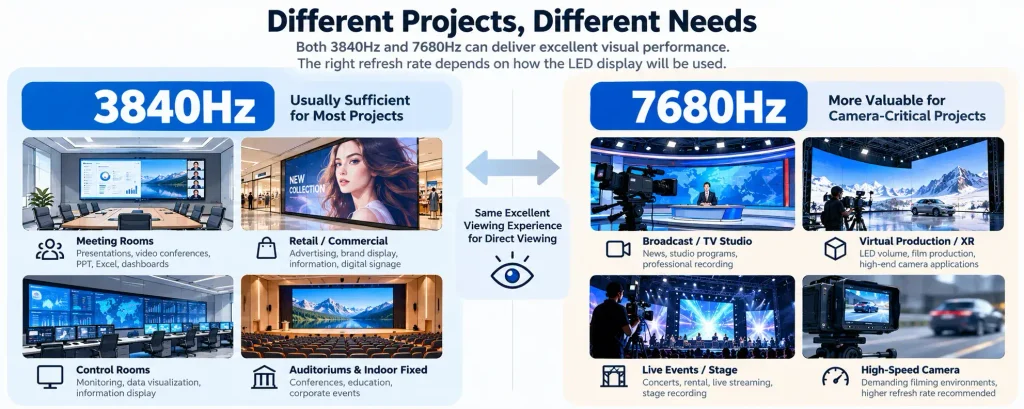
For many conventional LED display projects, 3840Hz is already a very practical refresh rate.
Типичные области применения включают:
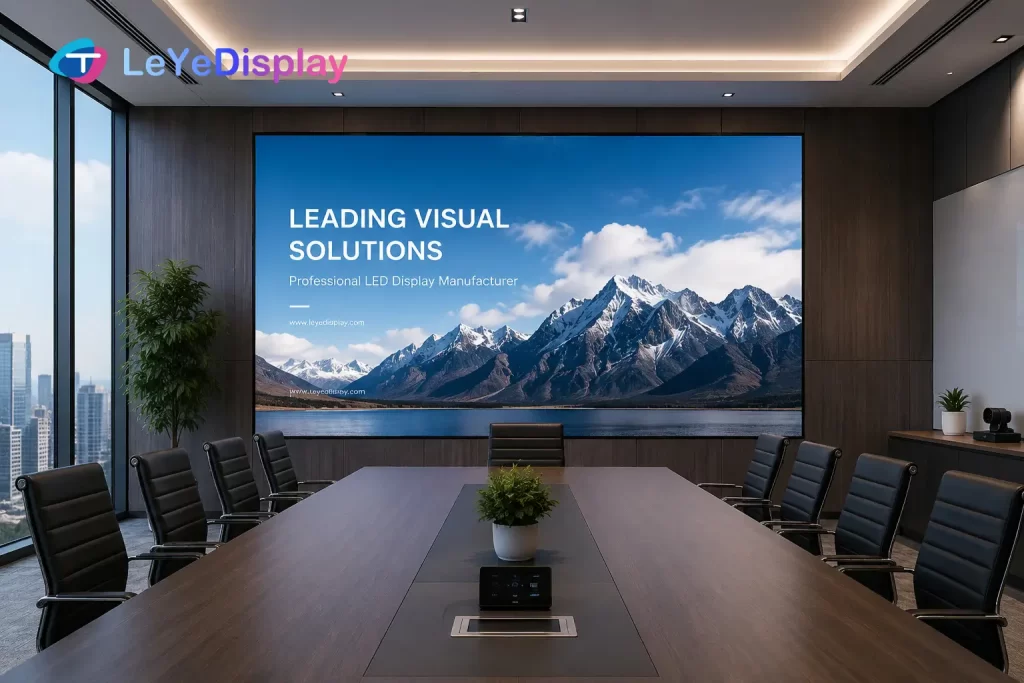
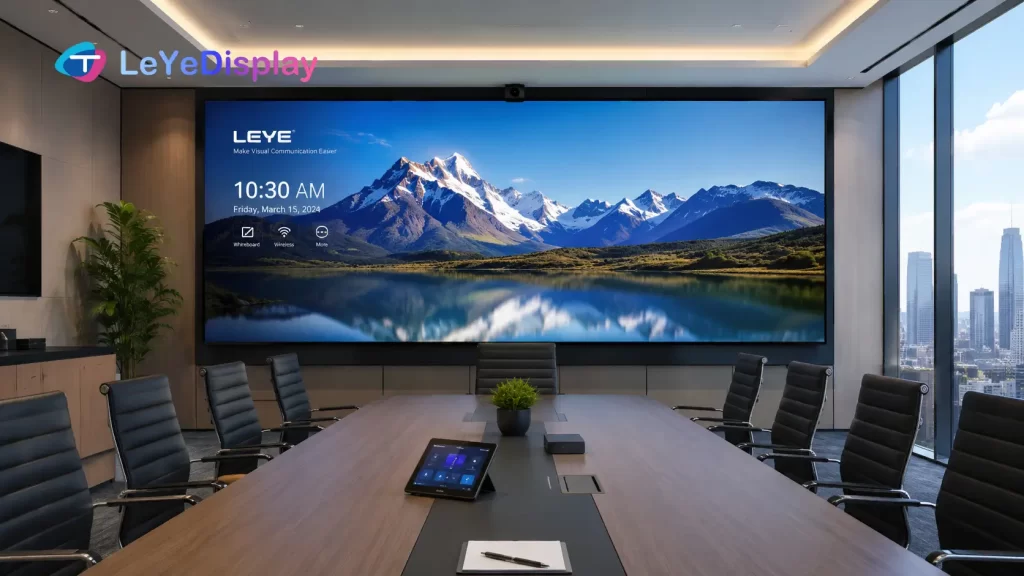
- Корпоративные конференц-залы
- Конференц-залы
- Комнаты управления
- Розничные магазины
- Торговые центры
- Выставочные залы
- Auditoriums
- Indoor fixed LED video walls
In these applications, the screen is primarily designed for direct viewing.
Even when cameras are occasionally used for video conferences, presentations, events, or corporate recording, a properly configured 3840Hz LED display can often provide satisfactory results.
This is why selecting 7680Hz for every project simply because the number is higher may increase cost without creating a meaningful improvement for the end user.
For example, when planning a meeting room LED display, the screen may mainly be used for PowerPoint presentations, dashboards, Excel sheets, videos, and video conference participants. In this case, the project should usually pay more attention to pixel pitch, viewing distance, brightness, contrast, grayscale, and installation quality rather than automatically upgrading from 3840Hz to 7680Hz.
When Does 7680Hz Make Sense?
7680Hz becomes more valuable when the LED display will frequently appear on camera.
К типичным примерам относятся:
- Студии вещания
- TV studios
- Виртуальное производство
- Стадии XR
- Кинопроизводство
- Live event filming
- High-end rental applications
- Environments using high-speed cameras
In these applications, the LED display is no longer designed only for the human eye.
It also becomes part of the camera system.
A higher refresh rate provides more operating margin when matching the LED display with different camera frame rates, shutter settings, and production workflows.
This can help reduce problems such as:
- Scan lines
- Dark bands
- Flicker
- Uneven brightness on camera
- Artifacts during high-speed shooting
However, even here, specifying “7680Hz” on a quotation does not guarantee perfect camera performance.
That brings us to the more important issue.
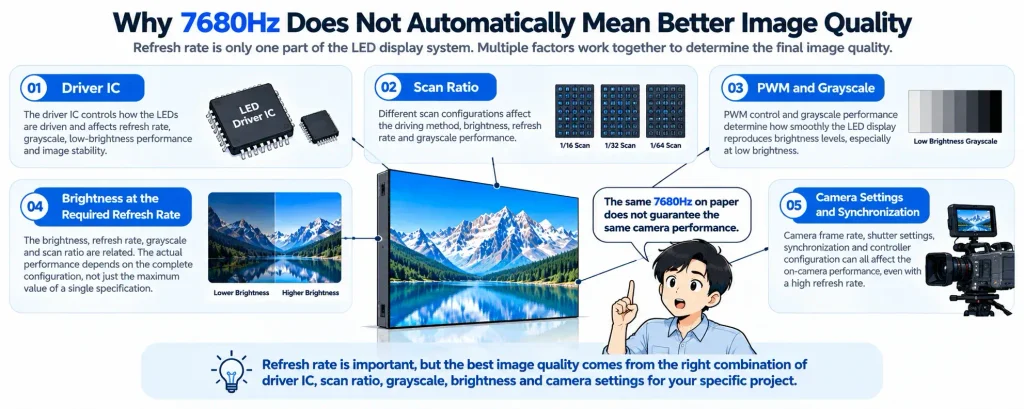
Why 7680Hz Does Not Automatically Mean Better Image Quality
Refresh rate is only one part of the LED display system.
Two LED displays can both be advertised as 7680 Гц, yet produce noticeably different results.
Several other technical factors need to be considered.
ИС драйвера
Сайт driver IC controls how the LEDs are driven and plays an important role in refresh rate, grayscale performance, low-brightness behavior, and image stability.
This means two products with the same advertised refresh rate may behave differently if they use different driver ICs or different driver configurations.
When camera performance is important, buyers should therefore look beyond the refresh-rate number and understand what driver solution is actually being used.
Scan Ratio
Scan ratio also affects how the LED modules are driven.
Different module designs may use different scan configurations depending on pixel pitch, LED package, driver architecture, and application requirements.
A high refresh-rate specification achieved under one scan configuration should not automatically be assumed to perform identically under another.
This is one reason why comparing LED display quotations based on a single specification can be misleading.
PWM and Grayscale
PWM control and grayscale performance are closely related to how an LED display reproduces brightness levels.
This becomes particularly important at low brightness.
A display may look excellent when operating at high brightness but lose grayscale detail when brightness is reduced for a studio or indoor environment.
For broadcast and virtual production applications, maintaining stable grayscale performance at the required operating brightness can be more important than simply achieving the highest possible refresh-rate number.
Brightness at the Required Refresh Rate
LED display specifications are often evaluated individually:
Brightness: 1,000 nits
Refresh rate: 7,680Hz
Grayscale: 16 bit
But the more useful question is whether these specifications can be achieved together under the required operating configuration.
Changing driver settings can affect other aspects of display performance.
Therefore, buyers should evaluate the complete operating condition rather than assuming every maximum value listed on a specification sheet occurs simultaneously.
Camera Settings and Synchronization
Even a high-refresh LED display can show unwanted artifacts if the camera and display system are not properly matched. Professional virtual-production workflows also require coordination between LED refresh rate, camera frame rate, synchronization, and phase settings.
Camera frame rate, shutter angle or shutter speed, synchronization, controller configuration, and other production settings can influence the recorded image.
This becomes especially important in broadcast, XR, and virtual production environments.
So if a project is camera-critical, the question should not simply be:
“Does the LED display support 7680Hz?”
It should be:
“Can this LED system perform correctly with the cameras and production workflow used in this project?”
Don’t Judge an LED Display by the Refresh Rate Number Alone
When comparing an Предложение по светодиодным дисплеям, refresh rate should never be evaluated as an isolated number.
Supplier A: 7680Hz
Supplier B: 7680Hz
The specifications appear identical.
But that does not mean the actual displays will provide identical performance.
Before making a comparison, check additional information such as:
- Модель ИС драйвера
- Scan ratio
- Характеристики в режиме оттенков серого
- Operating brightness
- LED module configuration
- Система управления
- Camera requirements
- Intended application
For demanding camera applications, an actual test can be more useful than another line on the specification sheet.
This is especially important for XR, broadcast, and studio projects where the LED screen, controller, processor, camera, and synchronization system need to work together.
A specification tells you what a component can do. A project test tells you whether the complete system works.
What Should You Ask a Supplier Before Ordering?
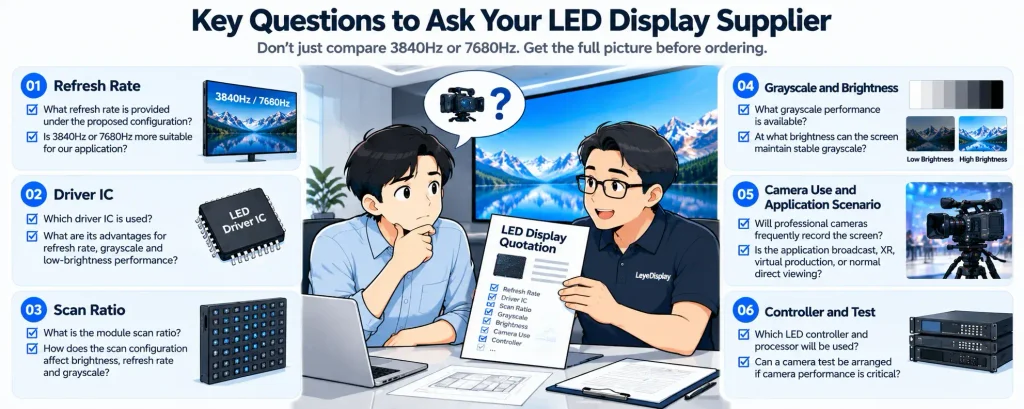
If refresh rate is important to your project, ask the supplier more than “Is it 3840Hz or 7680Hz?”
Before confirming the LED display, clarify:
- What refresh rate is provided under the proposed configuration?
- Which driver IC is used?
- What is the module scan ratio?
- What grayscale performance is available?
- What brightness will the screen normally operate at?
- Will professional cameras frequently record the screen?
- What camera frame rates will be used?
- Is the application broadcast, XR, virtual production, or normal direct viewing?
- Which LED controller and processor will be used?
- Can a camera test be arranged if camera performance is critical?
These questions provide much more useful information than comparing two refresh-rate numbers in isolation.
They also help the LED supplier understand the actual project instead of simply quoting a standard product configuration.
Which LED Display Refresh Rate Should You Choose?
There is no single LED display refresh rate that is best for every project.
Для meeting rooms, corporate spaces, retail, control rooms, and most conventional indoor installations, 3840Hz is usually a strong starting point.
For applications where the LED screen is frequently recorded by professional cameras, 7680Hz can provide additional flexibility.
Для broadcast, XR, virtual production, and high-speed filming, refresh rate should be evaluated together with driver IC, grayscale, scan configuration, controller, synchronization, and camera settings.
The decision can therefore be simplified to:
Normal direct-view application → 3840Hz is usually sufficient.
Frequent professional camera use → Consider 7680Hz.
Broadcast / XR / VP → Evaluate the complete LED and camera system, not refresh rate alone.
Higher specifications are useful when the project needs them.
When the project does not, a higher number is simply a higher number.
Refresh rate is only one part of LED display selection. Pixel pitch, brightness, viewing distance, maintenance method, installation environment, and control system should also be evaluated together. Our Руководство по выбору светодиодных видеостен covers these factors from a complete project-planning perspective.
ЧАСТО ЗАДАВАЕМЫЕ ВОПРОСЫ
Is 3840Hz good for an LED display?
Yes. A 3840Hz LED display refresh rate is suitable for many professional LED display applications, including meeting rooms, retail spaces, control rooms, auditoriums, and conventional indoor video walls. The complete display configuration is more important than judging quality from refresh rate alone.
Is 7680Hz better than 3840Hz?
7680Hz provides a higher refresh rate and can be advantageous for camera-intensive applications. However, it does not automatically produce better visible image quality in every project. For normal direct viewing, a well-configured 3840Hz display can already provide excellent performance.
Do I need 7680Hz for a meeting room LED display?
Usually not. Most meeting-room LED displays are primarily viewed directly, with occasional use of video-conferencing cameras. In these applications, 3840Hz is generally sufficient when the LED system is properly configured.
Why does an LED screen flicker on camera even at a high refresh rate?
Camera artifacts can be influenced by more than LED display refresh rate. Camera frame rate, shutter settings, synchronization, scan configuration, driver IC behavior, brightness, and controller settings can all affect the recorded image.
Does refresh rate affect LED display grayscale?
Refresh rate and grayscale are both influenced by the LED driving system and its configuration. Increasing one specification does not necessarily mean all other performance characteristics improve at the same time. For demanding applications, grayscale performance should be evaluated at the actual operating brightness and configuration.