Choisir le bon LED display brightness is not simply about selecting the highest nit value available. A screen installed in a corporate meeting room has very different requirements from an outdoor advertising display exposed to direct sunlight.
If the brightness is too low, images may look washed out and important content can become difficult to see. If it is unnecessarily high, the display may consume more power, generate additional heat, and create visual discomfort for viewers.
The right specification depends on the installation environment, ambient light, viewing conditions, content, and operating schedule.
This guide explains how to evaluate LED display brightness and select a practical specification for your project.
Quick Answer: How Many Nits Does an LED Display Need?
For preliminary project planning, the following ranges can help narrow down the appropriate brightness level:
| Application | Typical Brightness Range |
|---|---|
| Indoor meeting rooms and boardrooms | 600–1,000 nits |
| Indoor showrooms and commercial spaces | 800–1,500 nits |
| Indoor event and rental displays | 1,000–1,500 nits |
| Semi-outdoor or covered installations | 2,500–4,000 nits |
| Outdoor displays in daylight | 5,000–7,000 nits |
| Outdoor displays under particularly strong sunlight | 7,000–10,000 nits |
These figures are preliminary selection ranges, not universal standards or guaranteed visibility thresholds. Actual requirements depend on screen orientation, direct sunlight, reflections, viewing distance, content, and the time of operation.
The practical rule is to specify enough maximum brightness for the brightest expected conditions, while ensuring that the display can be adjusted to a comfortable level during normal operation.
1. What Is LED Display Brightness?
LED display brightness describes how much light the display emits from its surface. It is commonly measured in nits, also expressed as candelas per square meter (cd/m²).
One nit equals one candela per square meter.
A higher nit value means the display can produce a higher luminance. This is particularly important when the screen must remain visible in environments with strong ambient light.
For example, an indoor LED video wall in a controlled meeting room may operate comfortably at a relatively moderate brightness level. An outdoor LED billboard, however, needs significantly greater output to compete with daylight.
It is important to distinguish between three different concepts:
- Maximum brightness: The highest luminance the display can achieve under specified test conditions.
- Operating brightness: The brightness level actually used during normal operation.
- Brightness adjustment range: How effectively the display can be dimmed or increased to suit changing environments.
When comparing suppliers, buyers should not focus only on the maximum brightness figure. They should also confirm how that figure is measured and whether the display can maintain stable image quality at lower operating levels.
For a more technical reference, IEC 62977-2-1 specifies measurement conditions and methods for evaluating optical characteristics of electronic display modules and systems.
Brightness is only one part of the overall selection process. For a broader understanding of LED display specifications and project planning, explore our Guide d'achat des murs vidéo LED.
2. How Does Ambient Light Affect LED Display Brightness?
Ambient light is one of the most important factors when selecting LED display brightness.
A display does not operate in isolation. Light from windows, ceiling fixtures, sunlight, and surrounding reflective surfaces can affect how clearly viewers perceive the image.
In a controlled indoor environment, moderate brightness may be sufficient because there is relatively little competing light.
However, a screen installed close to large windows may require a higher brightness specification, even though it is technically an indoor installation.
Outdoor environments create a much greater challenge. Direct sunlight can significantly reduce perceived image contrast, making a display appear less vivid even when its LEDs are producing substantial light output.
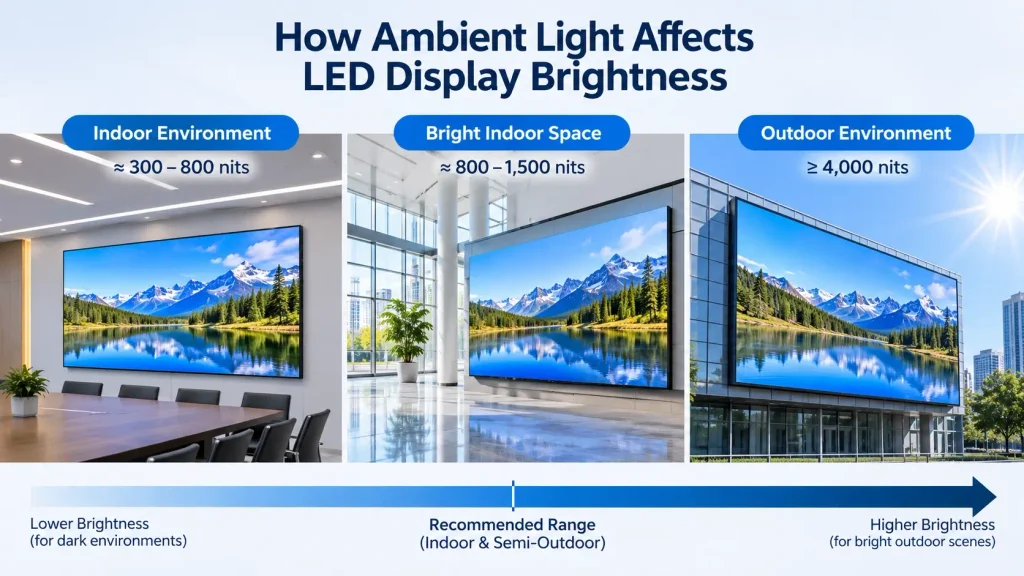
Consider these three installation scenarios:
Controlled indoor environment
A corporate meeting room with limited daylight and adjustable lighting usually does not require extremely high brightness. Excessive output may make presentations uncomfortable to watch, especially during long meetings.
Bright indoor environment
A shopping mall, showroom, or glass-fronted commercial space may receive considerable natural light. A higher brightness specification can help maintain image visibility throughout the day.
Outdoor environment
An outdoor advertising display exposed to direct sunlight needs substantially more brightness than an indoor screen. Screen orientation and the hours of direct sun exposure should be evaluated before selecting the specification.
The key point is that the installation environment matters more than whether a project is simply described as indoor or outdoor.
Therefore, evaluating LED display brightness under the actual installation conditions is more reliable than selecting a specification based on the indoor or outdoor classification alone.
3. Recommended LED Display Brightness for Indoor Applications
Indoor LED displays are used in meeting rooms, control rooms, retail spaces, exhibition halls, broadcast studios, and corporate showrooms.
Although these applications share an indoor classification, their lighting conditions and viewing requirements can be very different.
Meeting Rooms and Corporate Boardrooms
For a typical corporate meeting room, a preliminary brightness range of 600–1,000 nits is a reasonable starting point.
The final operating level should be determined by:
- Room lighting and window exposure.
- Screen size and viewing distance.
- Presentation content, including text and spreadsheets.
- Whether the room is used for video conferencing.
- Viewer comfort during extended meetings.
For fine-pitch LED video walls used in executive boardrooms, stable grayscale performance and consistent color reproduction are just as important as maximum brightness.
A screen that is excessively bright may create unnecessary glare and make long presentations less comfortable.
Showrooms and Retail Spaces
Commercial showrooms and retail environments often have stronger and less predictable lighting than meeting rooms.
A preliminary range of 800–1,500 nits may be appropriate for many installations, particularly where the screen must compete with bright ceiling lights or daylight entering through windows.
However, the correct specification depends on the actual location of the display.
A screen installed in a relatively dark interior area may not need the same output as one positioned directly opposite a large glass façade.
Control Rooms and Broadcast Environments
Control rooms and broadcast studios require particular attention to image consistency.
Operators may spend many hours looking at the screen, while broadcast environments may also involve cameras capturing the LED display.
In these situations, brightness should be selected together with grayscale performance, refresh rate, color calibration, and the intended camera settings.
The highest available brightness is rarely the main selection priority.
4. Recommended LED Display Brightness for Outdoor Applications
Outdoor LED displays face more demanding lighting conditions.
They are commonly used for roadside advertising, building façades, stadiums, transportation facilities, outdoor events, and commercial plazas.
For many permanent outdoor daylight installations, 5,000–7,000 nits is a practical preliminary selection range.
Some projects may require higher output, particularly when the display faces intense direct sunlight or operates in locations with strong reflections.
Outdoor Advertising Displays
Outdoor billboards and digital signage must remain readable throughout changing daylight conditions.
When selecting brightness, consider:
- Whether sunlight falls directly onto the display surface.
- The direction the screen faces.
- The installation height and viewing distance.
- Surrounding buildings and reflective surfaces.
- Whether the display operates during nighttime hours.
A display facing direct afternoon sunlight may need a different specification from one installed beneath a shaded structure.
Stadiums and Large Outdoor Screens
Large outdoor screens used in stadiums and public venues may require higher brightness to maintain visibility across a wide viewing area.
However, screen size alone does not determine the required brightness.
The design should also account for viewing angles, audience distance, content type, and the changing light conditions throughout the event.
Semi-Outdoor and Covered Installations
Covered walkways, building entrances, sheltered plazas, and outdoor-facing commercial spaces sit between conventional indoor and outdoor environments.
A preliminary range of 2,500–4,000 nits can be considered for some of these applications.
But a roof does not automatically eliminate daylight challenges. Reflected sunlight and open sides can still create high ambient-light conditions.
The installation should be evaluated at the actual screen position rather than classified by the presence of a roof alone.
5. Does Viewing Distance Affect the Required Brightness?
Viewing distance is an important part of LED display planning, but it should not be confused with the direct measurement of screen brightness.
Brightness is measured at the display surface. Moving farther away does not change the screen’s specified luminance.
However, viewing distance affects how viewers perceive image details, contrast, and overall visibility.
For example, a large outdoor display viewed from across a road has different practical requirements from a fine-pitch LED wall viewed from a few meters away in a meeting room.
The following factors should be considered together:
- Pixel pitch: Determines image resolution and the level of detail visible at a given distance.
- Taille de l'écran : Affects the visual impact of the image across the viewing area.
- Distance de visionnage : Influences perceived detail and readability.
- Brightness: Helps the display remain visible under ambient lighting.
- Contenu : Small text and detailed graphics may require different viewing conditions from large promotional images.
If you are still evaluating the appropriate pixel pitch for your project, see our guide: How to Choose LED Video Wall Pixel Pitch (2026).
Brightness and pixel pitch solve different problems. Increasing brightness cannot compensate for insufficient resolution, just as selecting a finer pixel pitch cannot solve poor visibility under strong sunlight.
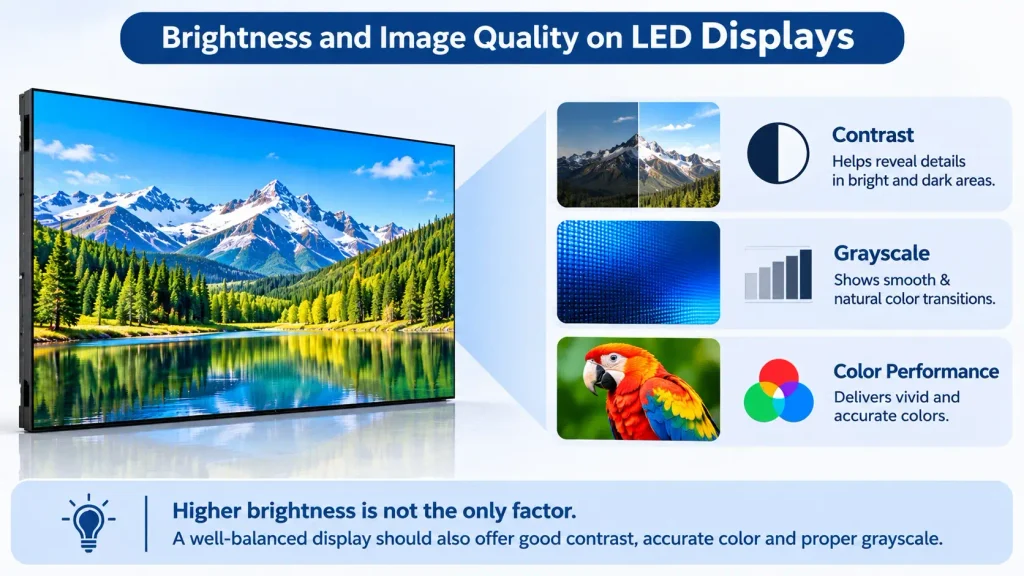
6. Does Higher Brightness Mean Better Image Quality?
No. Higher brightness does not automatically mean better image quality.
Brightness is only one part of the overall display performance.
A professional LED display should be evaluated across several parameters:
Performances en niveaux de gris
Grayscale performance affects how smoothly the display reproduces different brightness levels, especially in dark areas and subtle image transitions.
Cohérence des couleurs
The display should maintain consistent color reproduction across the entire screen, rather than simply producing a brighter image.
Contrast performance
Good contrast helps distinguish details between bright and dark areas. Strong ambient reflections can reduce perceived contrast even when the display has high maximum brightness.
For professional AV projects, AVIXA’s Image System Contrast Ratio standard provides a useful reference for evaluating contrast under typical system operating conditions, including ambient light.
Refresh rate and camera performance
For applications involving video cameras, live broadcasts, or event recording, refresh rate and grayscale performance should be evaluated alongside brightness.
A high-brightness display with poor calibration or inconsistent color performance may deliver a less satisfactory result than a properly configured display with a more suitable brightness level.
Buyers should therefore compare the complete display specification rather than selecting a product based on one impressive number.
For camera-based applications and professional video environments, LED display refresh rate is another important specification to evaluate alongside brightness and grayscale performance.
7. How Does Brightness Affect Power Consumption and Heat?
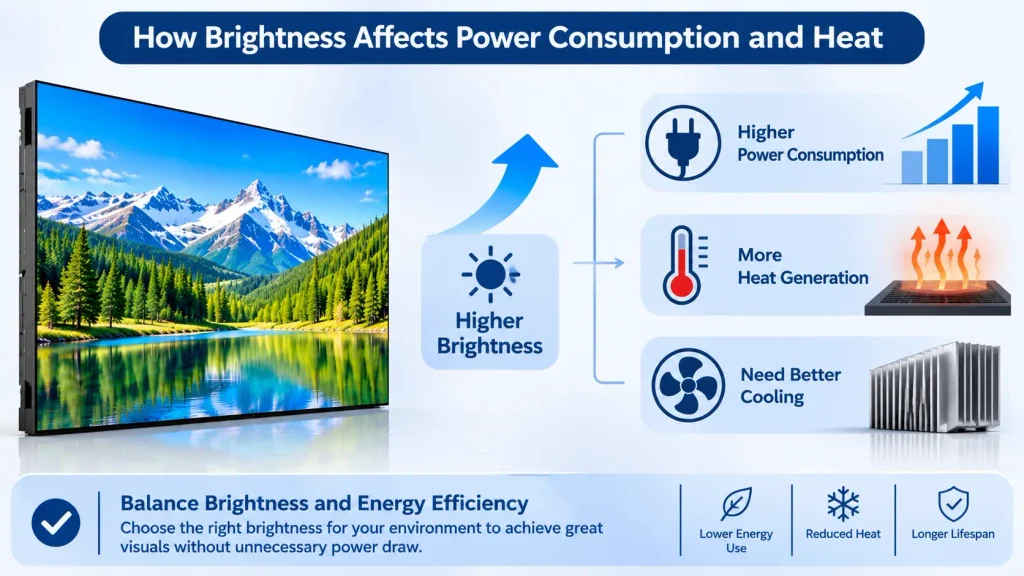
Brightness has a direct relationship with the operating power and thermal conditions of an LED display.
In general, increasing the display’s output requires more electrical power. The actual increase depends on the LED components, driving system, cabinet design, image content, and operating conditions.
Higher output can also increase heat generation, which makes thermal management an important part of system design.
For large LED video walls, these factors can affect:
- Total power requirements.
- Power distribution and circuit planning.
- Cooling and ventilation design.
- Operating costs.
- Long-term component reliability.
This is one reason why selecting the highest possible brightness is not always the best engineering decision.
A better approach is to specify sufficient brightness headroom for the installation environment and operate the display at an appropriate level.
For outdoor installations, automatic brightness adjustment can help reduce output during cloudy conditions, dusk, and nighttime operation.
This can improve viewing comfort and reduce unnecessary power consumption.
For a more detailed discussion, read our guide to LED Video Wall Power Consumption 2026.
8. How to Choose the Right LED Display Brightness for Your Project
Selecting the right LED display brightness requires balancing visibility, viewing comfort, power consumption, and the operating environment.
Before confirming the brightness specification, project buyers and system integrators should evaluate the following points.
1. Identify the Installation Environment
Determine whether the display will be installed indoors, outdoors, or in a semi-outdoor location.
Do not rely on the application label alone. A bright indoor showroom may need more output than a shaded outdoor installation.
2. Evaluate Ambient Light
Check the lighting conditions at the actual screen position.
Pay particular attention to large windows, direct sunlight, reflective glass, and changes in natural light throughout the day.
Where possible, assess the site during the brightest expected operating period.
3. Confirm the Intended Operating Schedule
A display used only during daytime events has different requirements from one operating continuously throughout the day and night.
Outdoor screens should have an appropriate brightness adjustment strategy for nighttime operation.
4. Consider Viewing Distance and Content
Determine whether the screen will mainly show presentations, detailed graphics, advertising videos, or live event content.
The required pixel pitch, screen size, and brightness should be evaluated as part of the same project design.
5. Review Power and Thermal Requirements
Confirm the maximum power consumption, average operating power, power distribution, and cooling requirements.
Do not assume that two LED displays with the same brightness rating will have identical power consumption.
6. Confirm How Brightness Is Specified
Ask the manufacturer to clarify:
- Whether the stated value is maximum brightness.
- The measurement conditions and test method.
- Whether the specification applies to the complete display configuration.
- Whether brightness can be adjusted smoothly.
- Whether brightness can be calibrated consistently across the screen.
This helps avoid misunderstandings when comparing quotations from different manufacturers.
7. Request a Project-Specific Recommendation
If the installation conditions are unusual, provide the manufacturer with the project dimensions, installation photos, ambient-light conditions, viewing distance, and operating schedule.
A project-specific recommendation is more useful than choosing a brightness value from a generic product catalogue.
Common Mistakes When Selecting LED Display Brightness
Several mistakes can lead to unnecessary costs or unsatisfactory display performance.
Choosing brightness based only on the highest specification
A higher number does not guarantee better image quality or better project suitability.
Treating every indoor installation the same
A dark meeting room and a glass-fronted showroom have very different ambient-light conditions.
Ignoring nighttime operation
Outdoor displays that remain at maximum brightness after sunset may cause unnecessary glare and consume more power than needed.
Comparing maximum brightness without checking measurement conditions
Different manufacturers may use different test conditions or product configurations. Confirm what the stated figure actually represents.
Ignoring power and thermal design
Brightness should be considered together with power distribution, heat dissipation, and the expected operating schedule.
Avoiding these mistakes helps ensure that the selected LED display is suitable for the real installation environment rather than simply impressive on paper.
Frequently Asked Questions About LED Display Brightness
What is a good brightness level for an indoor LED display?
For preliminary planning, many indoor LED video wall projects fall within approximately 600–1,500 nits. Meeting rooms may need less output than bright retail spaces or showrooms. The final specification should be based on ambient light and viewing conditions.
How many nits does an outdoor LED display need?
Many outdoor daylight LED displays use approximately 5,000–7,000 nits. Projects exposed to particularly strong direct sunlight may require higher output. Screen orientation, reflections, and nighttime operation should also be considered.
Is 1,000 nits enough for an outdoor LED display?
It may be suitable for some shaded or controlled semi-outdoor environments, but it is generally not a safe default for an outdoor display exposed to strong direct sunlight. The actual requirement should be assessed at the installation site.
Is higher LED display brightness always better?
No. Excessive brightness can increase power consumption and heat generation while creating visual discomfort. The goal is to achieve sufficien
Does LED display brightness affect power consumption?
Yes. Higher operating brightness generally increases power consumption, although the actual relationship depends on the LED components, driving system, image content, and display design.
Can LED display brightness be adjusted automatically?
Yes. Many outdoor LED display systems can use ambient light sensors and control settings to adjust brightness according to surrounding light conditions. The available functions depend on the control system and product configuration.
Réflexions finales
Choisir le bon LED display brightness requires more than comparing nit values on product specifications.
The installation environment, ambient light, viewing distance, content, operating schedule, power requirements, and thermal design all influence the final decision.
For project buyers and system integrators, the best specification is not necessarily the brightest display available. It is the display that provides suitable visibility, image quality, and operating efficiency under the actual project conditions.
At LeYeDisplay, we recommend evaluating LED display brightness together with pixel pitch, display configuration, power requirements, and installation conditions before confirming a solution.
If you are planning an indoor or outdoor LED video wall project, share your application, screen dimensions, installation environment, and viewing distance with our team. We can help evaluate a suitable display configuration for your project.