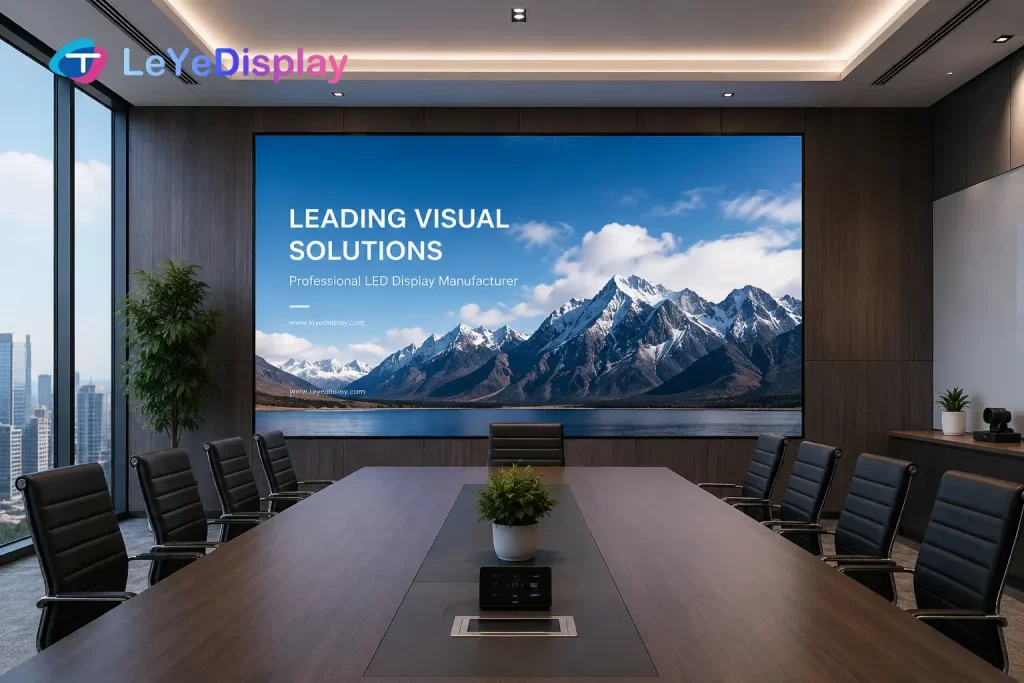
Modern corporate meeting rooms are expected to support more than presentations. They are used for video conferences, management reviews, financial reporting, product demonstrations, collaborative discussions, and communication with remote teams. The display system must therefore deliver clear images, reliable operation, and smooth integration with the room’s audiovisual equipment.
Choosing a شاشة LED لغرفة الاجتماعات involves more than selecting a pixel pitch or screen size. Viewing distance, room dimensions, content resolution, installation conditions, maintenance access, and video conferencing requirements all influence the final result. A well-planned Meeting Room LED Display should fit the room’s actual use rather than simply offer the highest technical specifications. A properly specified Conference Room LED Video Wall should support both the room’s visual requirements and its daily communication activities.
For a broader overview of LED display selection, specifications, and project planning, explore our دليل شراء شاشات الفيديو LED.
For system integrators and project buyers, the objective is to select a display solution that fits the way the room is used—not simply the one with the smallest pixel pitch or the highest specification.
This guide explains the main considerations when planning an LED display for corporate meeting rooms, from technology selection to system integration.
1. Conference Room LED Video Wall Requirements for Different Room Types
Not every meeting room needs the same display configuration. The room’s size, seating arrangement, viewing distance, and primary activities should determine the display design. These factors should be established before specifying a Meeting Room LED Display.
Small meeting rooms
Small meeting rooms are commonly used by teams of four to eight people. Participants usually sit relatively close to the screen, so image clarity and text readability are important.
In this type of space, a Conference Room LED Video Wall should be evaluated carefully against the available wall area and nearest viewing distance.
A large display is not always necessary. The screen should be sized according to the viewing distance and the type of content being presented.
تشمل الاعتبارات المعتادة ما يلي:
- Clear text and spreadsheet display at close viewing distances
- Compatibility with laptops and wireless presentation systems
- A screen size that does not overwhelm the room
- Low-noise operation and appropriate heat management
For smaller rooms, a large-format professional LCD display may be sufficient. A fine-pitch Meeting Room LED Display becomes more attractive when the project requires a larger seamless display surface or a customized screen size.
Medium-sized conference rooms
Medium-sized rooms often accommodate 10–20 participants and support presentations, internal meetings, and remote collaboration.
A شاشة LED لقاعة المؤتمرات can provide a large, continuous image without the visible bezels associated with conventional LCD video walls.
The design should consider:
- The farthest and nearest viewing positions
- Screen width and height relative to the room
- Whether multiple content sources need to be displayed
- The relationship between the screen and conference camera positions
- Front or rear service access
Ambient lighting should also be evaluated when specifying the screen. Our guide to سطوع شاشة LED explains how to select a suitable brightness level for different indoor environments.
For these spaces, a Meeting Room LED Display should balance screen dimensions, viewing distance, and resolution. A larger screen is useful only when participants can view the content comfortably from their seating positions.
A Conference Room LED Video Wall can provide a consistent visual surface for presentations and collaborative meetings when the room requires a larger display.
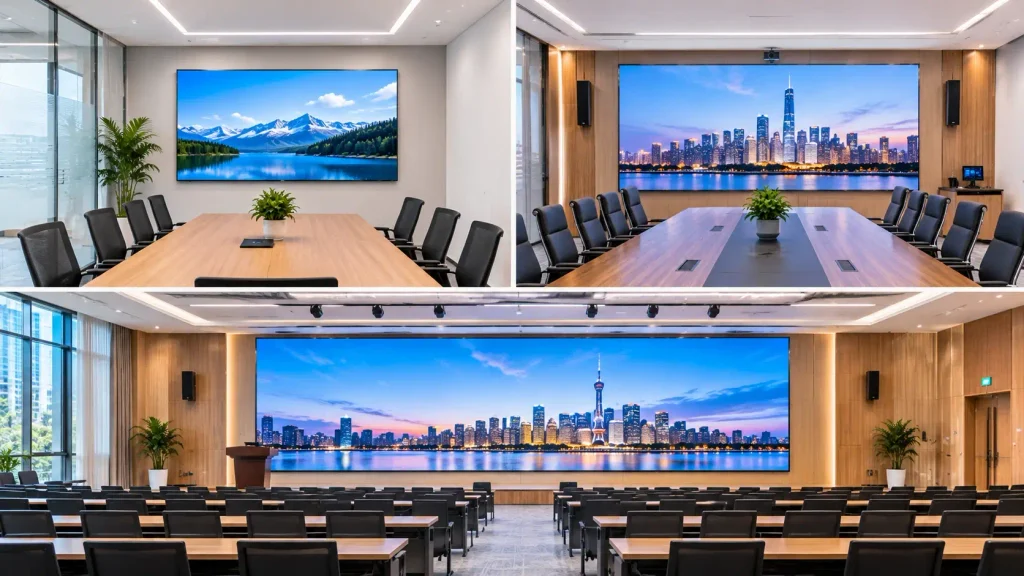
Large boardrooms and executive meeting rooms
Large boardrooms may require a more prominent display for financial dashboards, detailed presentations, video conferences, and management reporting.
In these environments, a fine-pitch LED wall can offer a clean, seamless viewing surface. However, the final configuration should still be based on viewing distance, required resolution, and the room’s actual layout.
The key principle is simple: define the room’s function and viewing conditions before deciding on the display technology.
2. LED Display vs. LCD Video Wall for Meeting Rooms
Both LED displays and LCD video walls can be used in corporate environments. The right choice depends on the project’s size, visual requirements, budget, and maintenance expectations.
| Comparison | Fine-pitch LED display | LCD video wall |
|---|---|---|
| Screen appearance | Seamless display surface | Visible bezels between panels |
| Large-format design | Flexible screen dimensions | Built from standard panel sizes |
| عرض مقرب | Depends on pixel pitch and viewing distance | Depends on panel resolution and viewing distance |
| السطوع | Available in different brightness configurations | Usually suitable for controlled indoor environments |
| التركيب | Requires appropriate structure and service planning | Requires panel mounting structure and alignment |
| الصيانة | Depends on module and cabinet design | Usually involves panel-level replacement |
| Initial investment | Can be higher, depending on specification | Often more economical for smaller installations |
When comparing these options, buyers should consider whether a Conference Room LED Video Wall provides sufficient advantages in screen size, seamless presentation, and installation flexibility.
When is an LED display a better choice?
An LED display is worth considering when the project requires:
- A large seamless image without visible panel borders
- A customized screen size or aspect ratio
- A premium visual presentation for executive or client-facing spaces
- A large display surface for dashboards, presentations, and video content
- Flexible installation and configuration options
When can an LCD video wall be sufficient?
LCD video walls remain a practical option for some projects, particularly when:
- The display area is relatively small
- The budget is a major constraint
- Visible bezels are acceptable
- Standard panel dimensions meet the design requirements
Neither technology is universally better. A professional solution should be selected according to the room’s requirements rather than technology preference alone.
3. How to Choose the Right Pixel Pitch
Pixel pitch is one of the most important technical considerations when selecting an LED display.
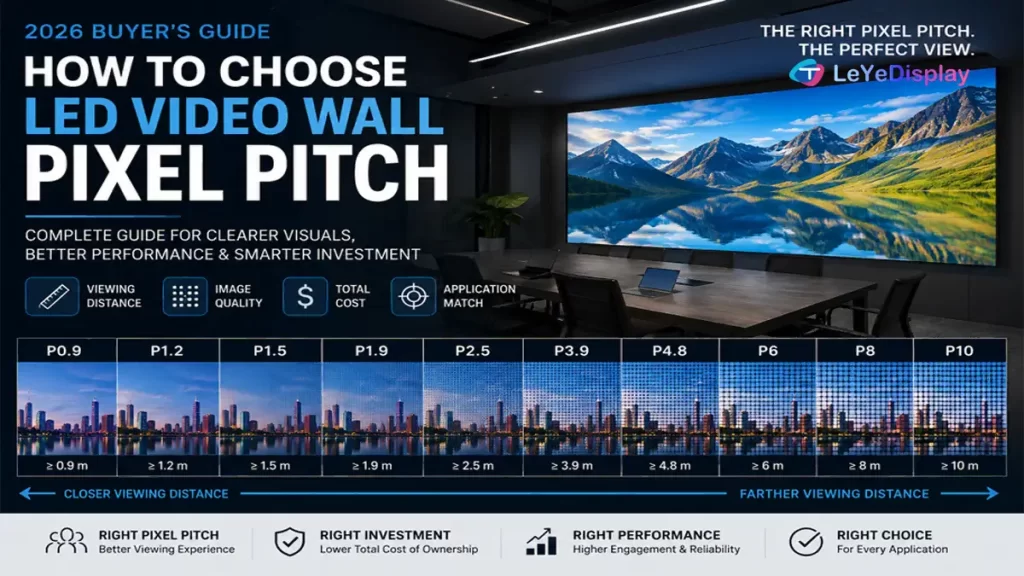
It refers to the distance between the centers of two adjacent LED pixels, measured in millimeters. For a more detailed explanation of viewing distance, resolution, and pixel pitch selection, read our guide to مسافة البكسل في جدار الفيديو LED. A smaller pixel pitch means that more pixels are packed into the same display area, allowing finer image detail at an appropriate viewing distance.
Common fine-pitch options for corporate environments include P1.2, P1.5, P1.8, and P2.0. These are examples rather than fixed recommendations for every meeting room.
When specifying a Meeting Room LED Display, the nearest seating position is particularly important. A screen that looks acceptable from the back of the room may reveal individual pixels or visual texture to someone sitting close to it.
Consider the actual viewing distance
Before selecting pixel pitch, confirm:
- The nearest and farthest seating positions
- The intended screen dimensions
- The type of content displayed most frequently
- The level of image detail required
- The overall project budget
For example, a boardroom where participants sit close to a large screen may justify a finer pixel pitch than a training room where viewers are seated farther away.
Do not select the smallest pixel pitch automatically
A smaller pixel pitch generally increases pixel density and can improve close-range image detail. However, it also affects product cost, resolution, processing requirements, and sometimes maintenance considerations.
The right Fine Pitch LED Display is the one that provides sufficient visual performance for the intended viewing conditions without unnecessary specification or cost.
A balanced Conference Room LED Video Wall configuration should provide adequate image detail without creating unnecessary cost.
4. Screen Size and Resolution: What Should You Consider?
Pixel pitch alone does not determine whether a screen will display content clearly. Screen dimensions and total pixel resolution must also be considered.
A Meeting Room LED Display should be evaluated according to the content it needs to reproduce, not just its physical dimensions.
Start with the content and room layout
Corporate meeting rooms commonly display:
- عروض «باور بوينت»
- Excel spreadsheets and financial reports
- Video conference participants
- Product images and demonstration videos
- Dashboards and data visualizations
- Multiple windows or content sources
A screen designed primarily for video playback may not be ideal for detailed spreadsheets or text-heavy presentations.
The project team should identify the most demanding content and check whether the proposed display resolution can reproduce it clearly.
These requirements help determine whether a Conference Room LED Video Wall needs to support standard presentation formats, detailed data, or multiple simultaneous content sources.
Check the aspect ratio
A 16:9 aspect ratio is common for presentations and video content. It can be a practical starting point for many meeting room projects.
However, the screen should not be forced into a standard ratio if the architectural layout or intended content requires another configuration.
For a customized LED wall, calculate the actual pixel resolution using the selected cabinet or module dimensions and pixel pitch. Confirm that the resulting resolution is compatible with the video processor and input sources.
Match the display with the signal system
A high-resolution LED wall does not automatically guarantee high-resolution content.
The source computer, video processor, signal transmission equipment, and display configuration must work together. If the input signal is lower in resolution than the display’s native resolution, scaling may be required.
This should be checked during system design rather than left until installation.
The final resolution of a Conference Room LED Video Wall should be confirmed together with the processor and source equipment.
5. COB or SMD: Which Technology Is Better for Meeting Rooms?
COB and SMD are two LED packaging technologies used in fine-pitch displays. Both can be suitable for indoor corporate applications, but they have different characteristics.
SMD LED technology
SMD (Surface-Mounted Device) technology uses individual LED packages mounted onto the PCB.
It is widely used across indoor LED display products and offers a broad range of pixel pitches and product configurations.
Potential advantages include:
- Mature manufacturing and product options
- Broad availability across different pixel pitches
- Established maintenance and replacement processes
- Flexibility for different project requirements
The specific performance and durability depend on the product design, components, manufacturing quality, and operating conditions.
COB LED technology
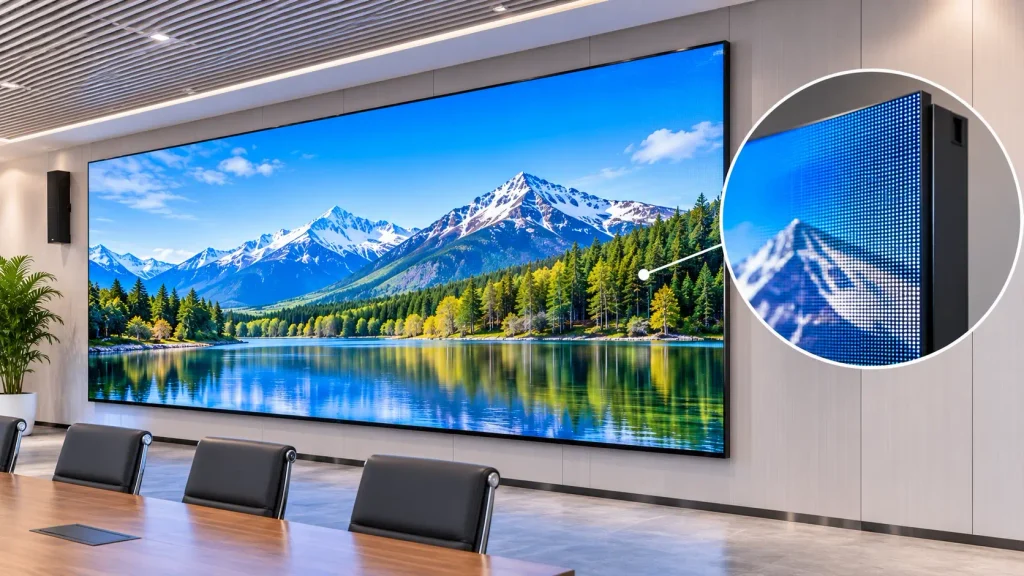
COB (Chip-on-Board) technology mounts LED chips directly onto the PCB and applies a protective surface structure.
For fine-pitch applications, COB can offer several practical characteristics:
- A more integrated LED surface structure
- Improved protection of the LED chips against certain forms of physical contact
- A surface that can be easier to clean under appropriate maintenance procedures
- Suitability for high-density indoor display applications
These characteristics can be valuable in executive meeting rooms where the screen is viewed at relatively close distances and long-term appearance matters.
However, COB should not be treated as the automatic choice for every project. Product quality, repair procedures, module design, spare-part availability, and total cost of ownership should all be evaluated.
For projects requiring close-range viewing, a COB-based Conference Room LED Video Wall may be worth considering, provided that its maintenance and repair requirements are suitable.
How should buyers decide?
| Evaluation factor | What to check |
|---|---|
| مسافة المشاهدة | Required pixel pitch and visual performance |
| Surface protection | Expected contact and cleaning conditions |
| الصيانة | Module replacement and repair procedures |
| Product quality | LED chips, PCB design, processing, and manufacturing |
| Long-term operation | Spare modules, technical support, and warranty |
| الميزانية | Initial investment and expected maintenance cost |
For a premium corporate room with close viewing distances, COB may be worth evaluating. For other applications, a well-designed SMD product may meet the requirements effectively.
6. Installation and Maintenance Considerations
A display can meet every technical specification and still become difficult to operate if installation and maintenance are not planned properly.
The installation design of a Meeting Room LED Display should be reviewed alongside the room’s architectural and electrical plans.
التركيب على الحائط
Wall-mounted configurations are common in corporate meeting rooms. They can provide a clean appearance and make efficient use of available space.
Before installation, confirm:
- Wall load-bearing capacity
- Mounting structure and fixing points
- Available installation depth
- Cable routing and access
- التهوية وتبديد الحرارة
- Required service clearance
The structural design should be checked before the display dimensions and mounting method are finalized.
The mounting structure for a Conference Room LED Video Wall should be coordinated with the building structure and the planned cable routes.
التركيب المدمج
Some projects require the LED wall to be integrated into a decorative wall or architectural feature.
In this case, the installation team must coordinate the display cabinet dimensions, finished wall depth, ventilation, cable access, and maintenance method.
A recessed design should never leave the display permanently inaccessible for servicing.
Front or rear maintenance?
The maintenance method depends on the room layout and available space behind the screen.
- Front maintenance: Useful when the display is mounted close to a wall or integrated into a structure with limited rear access.
- Rear maintenance: Suitable when sufficient service space is available behind the display.
A front-maintenance design can simplify access in restricted spaces, but it should be confirmed against the product’s actual module and cabinet structure. For a detailed comparison of both maintenance methods and their installation requirements, see our guide to شاشة LED أمامية للصيانة solutions.
Maintenance access should be confirmed before a Conference Room LED Video Wall is integrated into a finished wall structure.
Plan for heat dissipation
LED displays generate heat during operation. The installation environment must allow appropriate heat dissipation according to the manufacturer’s requirements.
Avoid enclosing the display in a structure without considering airflow, ambient temperature, and service access.
7. Conference Room LED Video Wall and AV System Integration
A corporate display is part of a larger audiovisual system. Its performance depends not only on the LED screen but also on how the system’s components work together.
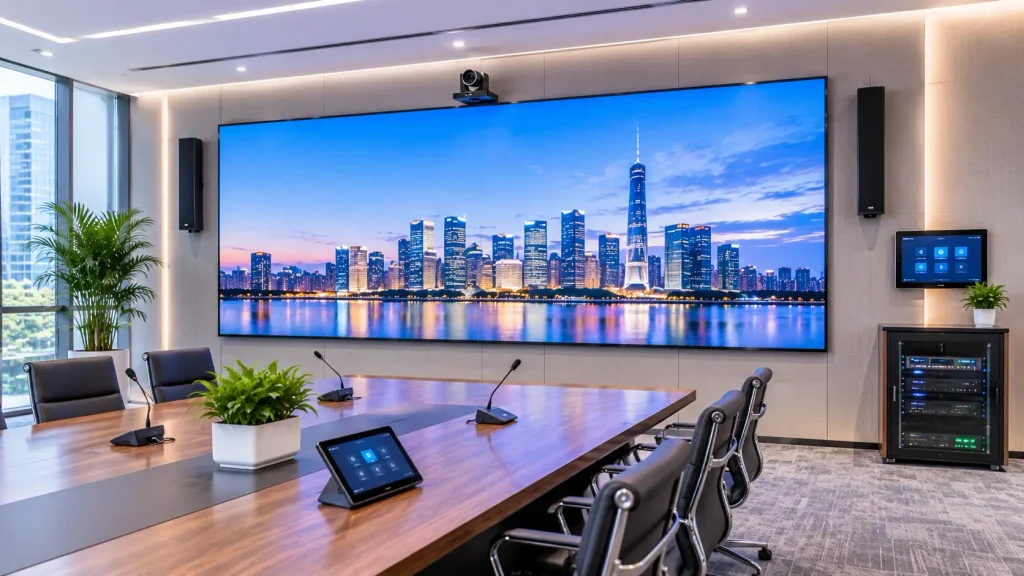
For additional guidance on display placement, camera positioning, and room configuration, see the Microsoft Teams Rooms design guidance.
This is especially important when the room supports hybrid meetings with participants joining remotely. For a Meeting Room LED Display, the camera, signal processing, audio equipment, and control system should be considered as part of the same design.
Camera position and screen layout
The conference camera should be positioned to provide a natural viewing angle for remote participants.
If the screen is too high, too low, or too far from the camera’s viewing axis, people in the room may appear to be looking away during conversations.
For rooms where remote communication is a priority, the screen, camera, and seating layout should be planned together.
The position of a Conference Room LED Video Wall should be coordinated with the camera’s field of view and the participants’ seating arrangement.
Signal input and video processing
A typical meeting room system may include:
- Conference room PCs or laptops
- Wireless presentation systems
- Video conferencing equipment
- Video processors or switchers
- HDMI, USB-C, or other signal interfaces
- Control systems and room automation
The LED display must receive a compatible signal from the processing system.
For a large LED wall, the video processor should support the required output resolution, scaling, input formats, and content layout.
If the room needs to show several sources simultaneously, confirm that the processor can handle the intended multi-window arrangement.
Before installation, confirm that the signal chain can deliver the required resolution and content layout to the Conference Room LED Video Wall.
Audio and room control
Although the LED display is a visual component, it must work within the room’s wider AV design.
Speakers, microphones, cameras, lighting controls, and room automation should be coordinated with the display installation.
For example, the screen position should not interfere with speaker placement or microphone pickup. Similarly, the control interface should allow users to switch sources and start meetings without complicated manual operation.
System integrators should verify these requirements during the design stage, not after the display has been installed.
8. Common Mistakes When Selecting a Meeting Room LED Display
Several avoidable mistakes can increase project costs or reduce the quality of the finished installation.
اختيار مسافة البكسل بناءً على السعر فقط
The lowest-cost pixel pitch may not provide sufficient image detail for the nearest viewing position. Evaluate viewing distance and content requirements first.
Selecting a screen that is too large
A larger screen is not automatically better. Its dimensions should suit the room, seating layout, and viewing angles.
Ignoring native resolution
The screen’s physical pixel resolution must be compatible with the video processor and source equipment. Otherwise, scaling limitations may affect the result.
تجاهل مسار الصيانة
A display installed without a practical maintenance plan can become expensive and disruptive to service.
Treating the LED screen as a standalone product
The display, processor, signal sources, camera, audio equipment, and room control system must be designed as one coordinated solution.
Focusing only on initial purchase cost
Product quality, spare parts, maintenance procedures, technical support, and expected operating life all contribute to the overall project value.
Avoid treating a Conference Room LED Video Wall as an isolated hardware purchase; its performance depends on the complete AV system.
9. Meeting Room LED Display Project Planning Checklist
Before requesting a quotation or confirming the display configuration, use this Meeting Room LED Display checklist to prepare the information required by the manufacturer and system integrator.
| Project item | Information to confirm |
|---|---|
| أبعاد الغرفة | Width, height, and available installation area |
| Seating layout | Number of participants and nearest/farthest viewing distances |
| حجم الشاشة | Required width, height, and aspect ratio |
| Display resolution | Content requirements and target pixel resolution |
| درجة البكسل | Based on viewing distance and screen dimensions |
| تقنية LED | COB or SMD, according to project requirements |
| التركيب | Wall-mounted, recessed, or another structure |
| الصيانة | Front or rear service access |
| Signal system | Input sources, processor, and output resolution |
| مؤتمرات الفيديو | Camera position, microphones, and audio equipment |
| البيئة | Ambient temperature, ventilation, and operating conditions |
| الدعم | Warranty, spare modules, and technical service |
Providing this information early helps the manufacturer and system integrator evaluate the project more accurately and reduce unnecessary configuration changes later.
10. Frequently Asked Questions
What pixel pitch is suitable for a corporate meeting room?
There is no single pixel pitch suitable for every room. P1.2, P1.5, P1.8, and P2.0 are possible options for different fine-pitch applications. The correct selection depends on viewing distance, screen dimensions, required resolution, and budget. The same principle applies when specifying a Conference Room LED Video Wall for different seating arrangements.
Is an LED display better than an LCD video wall for a conference room?
Not always. LED displays provide a seamless viewing surface and more flexibility for large or customized screen dimensions. LCD video walls can be more economical for smaller installations where visible bezels are acceptable.
Is COB technology suitable for meeting rooms?
Yes. COB is a technology worth considering for fine-pitch indoor applications, particularly where close viewing and surface protection are important. Buyers should also evaluate repair procedures, product quality, and long-term support.
Can an LED display be used for video conferencing?
Yes. An LED display can serve as the main visual display in a video conferencing room. The camera position, signal processing, audio equipment, and control system should be designed to work together.
Does a meeting room LED display need front maintenance?
Not necessarily. Front maintenance is useful when the display has limited rear access, such as a wall-mounted or recessed installation. If sufficient rear service space is available, rear maintenance may also be practical.
الخلاصة
Selecting a شاشة LED لغرفة الاجتماعات requires a coordinated approach to display technology, room design, viewing conditions, installation, and AV system integration.
ناجح Conference Room LED Video Wall project begins with a clear understanding of the room, its users, and the complete audiovisual system.
The best solution is not necessarily the one with the smallest pixel pitch, largest screen, or highest specification. It is the configuration that supports the room’s actual meeting activities while remaining practical to install, operate, and maintain.
For system integrators and project buyers, confirming the room dimensions, viewing distances, content requirements, signal architecture, and maintenance conditions before selecting the display is the most reliable way to plan a successful corporate meeting room project.